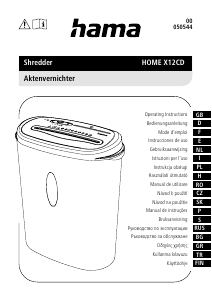
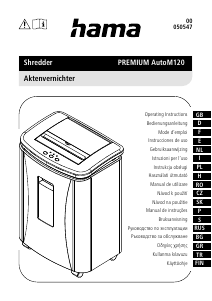
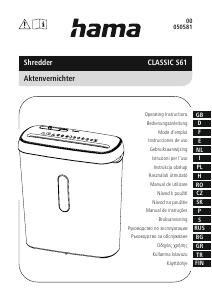
Instrukcja Hama 00050540 Niszczarka

Potrzebujesz instrukcji dla swojego Hama 00050540 Niszczarka? Poniżej możesz bezpłatnie obejrzeć i pobrać instrukcję w formacie PDF w języku polskim. Ten produkt ma obecnie zadane 2 pytania, 0 komentarzy i ma 1 głos ze średnią oceną produktu wynoszącą 0/100. Jeśli nie jest to podręcznik, którego szukasz, skontaktuj się z nami.

Czy Twój produkt nie działa, a w instrukcji obsługi brakuje rozwiązania Twojego problemu? Udaj się do Repair Café, gdzie naprawisz swój sprzęt za darmo.

Instrukcja

Loading…

4
5. Care and Maintenance
Danger risk of death from electric shock
Disconnect the mains plug from the socket before starting any cleaning work.
Warning - risk of cutting on the cutting rollers
Do not touch the cutting rollers.
Warning - damage to the device from moisture
Ensure, when cleaning, that no moisture penetrates the device in order to avoid
irreparable damage to it.
5.1 Emptying the container
Switch the device off - as described in 4.2 Switching the device off - and disconnect
the mains plug.
Lift the device head (1) off the waste paper basket.
Empty the waste paper basket.
Place the device head (1) back on the waste paper basket.
Reconnect the device - as described in 3. Installation/Setup - to the power supply.
5.2 Cleaning the device
Switch the device off - as described in 4.2 Switching the device off - and disconnect
the mains plug.
Clean the device with a dry cloth. In cases of heavy soiling, the cloth can be dampened
a little.
Allow the device to dry completely afterwards.
Reconnect the device - as described in 3. Installation/Setup - to the power supply.
5.3 Cleaning / oiling the cutting rollers
Note
Oil the cutting rollers after each emptying of the waste paper basket in order to
prolong the shredder's service life.
You can nd an appropriate selection of cleaning products at
www.hama.com.
Switch the device on - as described in 4.1 Switching the device on.
5.3.1 Cleaning with Hama cleaners for shredders (item number: 113820)
Apply the Hama cleaner for shredders (item number: 113820) in several strips onto a
piece of DIN A4-size paper.
Insert the paper into the centre of the intake shaft (3).
Once the cutting process is complete, the device is ready for operation again.
5.3.2 Cleaning with cleaning paper
Insert the cleaning paper into the centre of the intake shaft (3). The cutting rollers switch
on automatically.
Once the cutting process is complete, the device is ready for operation again.
6. Troubleshooting
Error Possible cause Remedy
The cutting rollers do
not switch on in the "I"
position (6).
The connecting cable
(9) is not connected
correctly.
Ensure that the mains
plug is in the mains
socket.
The socket is not live. Check the domestic fuses.
The device is faulty. Notify Customer Services.
The device switches itself
off after a prolonged
period of use and cannot
be switched back on.
The device has become
too hot.
Switch the device off and
allow it to cool down for
at least 30 minutes.
7. Technical data
Input voltage 220-240 V~
Mains Frequency 50 Hz
Max. power consumption 184 W
Dimensions (W x H x D) 30.8 x 10.6 x 6.3 cm
Weight (net) 1100 g
Weight (gross) 1347 g
Max. noise level 72 dB
Max. cutting performance - paper (70 gsm) 6 sheets (DIN A4 paper)*
Max. cutting performance - paper (80 gsm) 6 sheets (DIN A4 paper)*
Max. cutting speed 3.0 m/minute
Max. feed width for paper / plastic cards 217 mm
Cutting Size (Paper) 8 mm
Max. constant operation time 2 minutes
Nominal idle period min. 30 minutes
Protection class (as per DIN 66399) 1
Safety levels (as per DIN 66399) P-1
* Thicker paper, moisture or any voltage other than that permitted may reduce the
performance.
8. Warranty Disclaimer
All of the technical information, data and instructions regarding operation contained in
these operating instructions was up to date at the time of printing and is provided based
on previous experience and to the best of our knowledge.
Hama GmbH & Co KG assumes no liability and provides no warranty for damage resulting
from improper installation/mounting, improper use of the product or from failure to observe
the operating instructions and/or safety notes.
Pobierz instrukcję w języku polskim (PDF, 1.09 MB)
(Apelujemy o dbanie o środowisko i drukowanie instrukcji tylko wtedy, gdy jest to niezbędne)

Loading…

Ocena

Podziel się z nami swoją opinią na temat Hama 00050540 Niszczarka i oceń urządzenie. Chcesz podzielić się swoimi doświadczeniami z tym produktem lub zadać pytanie? Zostaw komentarz na dole strony.
Czy jesteś zadowolony z Hama 00050540 Niszczarka?
Tak Nie
0%
100%
1 głosuj

Dołącz do dyskusji na temat tego produktu

Tutaj możesz podzielić się swoją opinią na temat Hama 00050540 Niszczarka. Jeśli masz pytanie, najpierw dokładnie przeczytaj instrukcję. Zapytanie o instrukcję można złożyć za pomocą naszego formularza kontaktowego.

Więcej o tej instrukcji

Rozumiemy, że miło jest mieć papierową instrukcję obsługi Hama 00050540 Niszczarka. Zawsze możesz pobrać instrukcję z naszej strony internetowej i wydrukować ją samodzielnie. Jeśli chcesz otrzymać oryginalną instrukcję, zalecamy skontaktowanie się z Hama. Być może będą w stanie dostarczyć oryginalną instrukcję. Szukasz instrukcji swojego Hama 00050540 Niszczarka w innym języku? Wybierz preferowany język na naszej stronie głównej i wyszukaj numer modelu, aby sprawdzić, czy jest on dostępny.

Dane techniczne

Marka Hama
Model 00050540
Kategoria Niszczarki
Typ pliku PDF
Rozmiar pliku 1.09 MB

Wszystkie podręczniki dla Hama Niszczarki
Więcej podręczników Niszczarki

Często zadawane pytania dotyczące Hama 00050540 Niszczarka

Nasz zespół wyszukuje przydatne informacje na temat produktu i udziela odpowiedzi na często zadawane pytania. Jeśli znajdziesz nieścisłości lub błędy w naszych odpowiedziach na pytania, poinformuj nas o tym przy pomocy naszego formularza kontaktowego.

Dlaczego moja niszczarka do papieru zatrzymuje się po pewnym czasie? Zweryfikowany

Aby zapobiec przegrzaniu, niszczarki po pewnym czasie muszą ostygnąć. Czas, w którym urządzenie może działać, zanim będzie konieczne ostygnięcie, jest różny dla różnych marek i modeli.

To było pomocne (909) Czytaj więcej

Jak często należy oliwić niszczarkę do papieru? Zweryfikowany

Przy sporadycznym użytkowaniu wystarczy smarowanie niszczarki papieru raz na dwa miesiące. Przy (bardzo) regularnym użytkowaniu możesz zauważyć, że urządzenie ma trudności z niszczeniem lub łatwo zacina się papier. To oznaki, że maszynę należy naoliwić.

To było pomocne (566) Czytaj więcej
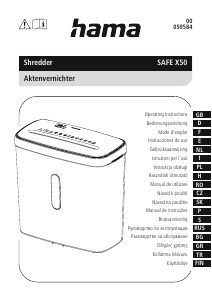
Instrukcja Hama 00050540 Niszczarka

Produkty powiązane

Powiązane kategorie

×
Download