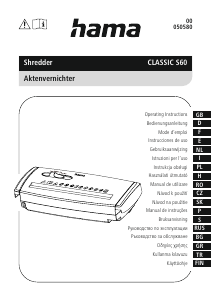
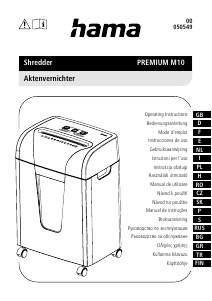
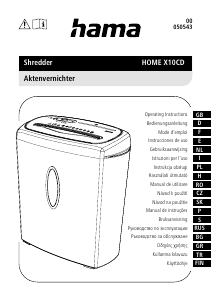
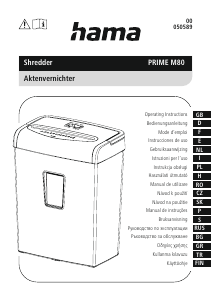
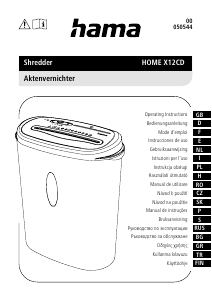
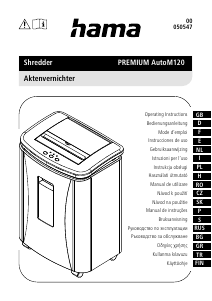
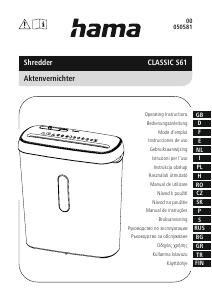
Instrukcja Hama 00050540 Niszczarka

Potrzebujesz instrukcji dla swojego Hama 00050540 Niszczarka? Poniżej możesz bezpłatnie obejrzeć i pobrać instrukcję w formacie PDF w języku polskim. Ten produkt ma obecnie zadane 2 pytania, 0 komentarzy i ma 1 głos ze średnią oceną produktu wynoszącą 0/100. Jeśli nie jest to podręcznik, którego szukasz, skontaktuj się z nami.

Czy Twój produkt nie działa, a w instrukcji obsługi brakuje rozwiązania Twojego problemu? Udaj się do Repair Café, gdzie naprawisz swój sprzęt za darmo.

Instrukcja

Loading…

3
General warning symbol
Before commissioning, read the enclosed operating
instructions.
You must comply with the safety instructions at all times.
This device is not intended for use by children.
Avoid touching the intake opening with hands, clothing
or hair.
Unplug the device if it is not going to be used for a
prolonged period.
Children must be supervised when using the device.
Do not insert paper clips into the intake shaft.
Do not reach into the intake shaft.
Keep clothing away from the intake shaft.
Keep jewellery, e.g. necklaces, away from the intake shaft.
Keep hair away from the intake shaft.
Do not use any aerosol products on or near the device.
Do not feed CDs/DVDs into the feed shaft.
Insert no more than 6 sheets of paper at any one time into the
intake shaft (see 7. Technical Data).
3. Installation / Setup
Warning
Only operate the product from a socket that has been approved for the device. The
socket must be installed close to the product and must be easily accessible.
Disconnect the product from the power supply using the On/Off switch if this is not
available, unplug the power cord from the socket.
If using a multi-socket power strip, make sure that the total power consumption of
all connected devices does not exceed the power strip's maximum throughput rating.
If you will not be using the product for a prolonged period, disconnect it from
mains power.
Position the device head (1) on a suitable waste paper basket. To do this, extend the
extendable arm (2) as far as necessary out of the device head (1).
Ensure that the device head (1) is positioned rmly on the waste paper basket and does
not wobble.
Note
Position the waste paper basket with the product on top of it on a level, horizontal
and suciently stable surface.
Route all cables so that there is no risk of tripping.
Do not bend or crush the cable.
Protect the connecting cable from hot surfaces and sharp edges.
Connect the mains cable to a properly installed and easily accessible mains socket.
4. Operation
Note
Be aware that the thickness of paper increases when it is folded, leading to the
device's maximum page capacity being exceeded.
Always wait until one cutting operation is nished before starting the next one.
Do not use the device continuously for more than 2 minutes at a time.
Empty the container regularly in order avoid damaging the device.
4.1 Switching the device on
Move the slider switch (5) to the "I" position (6).
The cutting rollers are switched on and operate constantly.
The device is now ready for use.
4.2 Switching the device off
Move the slider switch (5) to the "O" position (7).
4.3 Shredding paper
Insert the paper into the centre of the intake shaft (3).
Let go of the paper. Move the slider switch (5) to the "O" position (7) once the shredding
process is complete.
4.4 Forwards / backwards mode
Note
These modes are designed to release any blockages of the cutting mechanism.
Move the slider switch (5) to the "<<" position (8). The rollers on the cutting mechanism
now rotate in the reverse direction.
Move the slider switch (5) alternately to the "I" position (6) and the "<<" position (8).
Repeat this process around three times.
Then switch the device off - as described in 4.2 Switching the device off - and
disconnect the mains plug.
Remove the blocked cut material carefully from the intake shaft (3).
Reconnect the device - as described in 3. Installation/Setup - to the power supply.
Pobierz instrukcję w języku polskim (PDF, 1.09 MB)
(Apelujemy o dbanie o środowisko i drukowanie instrukcji tylko wtedy, gdy jest to niezbędne)

Loading…

Ocena

Podziel się z nami swoją opinią na temat Hama 00050540 Niszczarka i oceń urządzenie. Chcesz podzielić się swoimi doświadczeniami z tym produktem lub zadać pytanie? Zostaw komentarz na dole strony.
Czy jesteś zadowolony z Hama 00050540 Niszczarka?
Tak Nie
0%
100%
1 głosuj

Dołącz do dyskusji na temat tego produktu

Tutaj możesz podzielić się swoją opinią na temat Hama 00050540 Niszczarka. Jeśli masz pytanie, najpierw dokładnie przeczytaj instrukcję. Zapytanie o instrukcję można złożyć za pomocą naszego formularza kontaktowego.

Więcej o tej instrukcji

Rozumiemy, że miło jest mieć papierową instrukcję obsługi Hama 00050540 Niszczarka. Zawsze możesz pobrać instrukcję z naszej strony internetowej i wydrukować ją samodzielnie. Jeśli chcesz otrzymać oryginalną instrukcję, zalecamy skontaktowanie się z Hama. Być może będą w stanie dostarczyć oryginalną instrukcję. Szukasz instrukcji swojego Hama 00050540 Niszczarka w innym języku? Wybierz preferowany język na naszej stronie głównej i wyszukaj numer modelu, aby sprawdzić, czy jest on dostępny.

Dane techniczne

Marka Hama
Model 00050540
Kategoria Niszczarki
Typ pliku PDF
Rozmiar pliku 1.09 MB

Wszystkie podręczniki dla Hama Niszczarki
Więcej podręczników Niszczarki

Często zadawane pytania dotyczące Hama 00050540 Niszczarka

Nasz zespół wyszukuje przydatne informacje na temat produktu i udziela odpowiedzi na często zadawane pytania. Jeśli znajdziesz nieścisłości lub błędy w naszych odpowiedziach na pytania, poinformuj nas o tym przy pomocy naszego formularza kontaktowego.

Dlaczego moja niszczarka do papieru zatrzymuje się po pewnym czasie? Zweryfikowany

Aby zapobiec przegrzaniu, niszczarki po pewnym czasie muszą ostygnąć. Czas, w którym urządzenie może działać, zanim będzie konieczne ostygnięcie, jest różny dla różnych marek i modeli.

To było pomocne (909) Czytaj więcej

Jak często należy oliwić niszczarkę do papieru? Zweryfikowany

Przy sporadycznym użytkowaniu wystarczy smarowanie niszczarki papieru raz na dwa miesiące. Przy (bardzo) regularnym użytkowaniu możesz zauważyć, że urządzenie ma trudności z niszczeniem lub łatwo zacina się papier. To oznaki, że maszynę należy naoliwić.

To było pomocne (566) Czytaj więcej
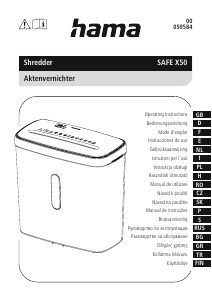
Instrukcja Hama 00050540 Niszczarka

Produkty powiązane

Powiązane kategorie

×
Download