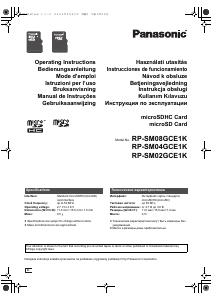
Instrukcja Panasonic RP-SM04GCE1K Karta SD

Potrzebujesz instrukcji dla swojego Panasonic RP-SM04GCE1K Karta SD? Poniżej możesz bezpłatnie obejrzeć i pobrać instrukcję w formacie PDF w języku polskim. Ten produkt ma obecnie zadane 4 pytania, 0 komentarzy i 0 głosów. Jeśli nie jest to podręcznik, którego szukasz, skontaktuj się z nami.

Czy Twój produkt nie działa, a w instrukcji obsługi brakuje rozwiązania Twojego problemu? Udaj się do Repair Café, gdzie naprawisz swój sprzęt za darmo.

Instrukcja

Loading…
2
Use an oil-based felt pen to write on the card. Do not use
pencils or ballpoint pens as these can damage the card and
data on it. Take care to keep the metal terminals free from ink.
While data is being read or written, do not remove the card or
turn off any equipment using the card. Do not remove the
batteries from battery-operated equipment. These actions can
cause data to be destroyed.
Make backup copies of your data wherever possible.
Panasonic will not accept responsibility for any data loss or loss
directly or indirectly caused by data loss.
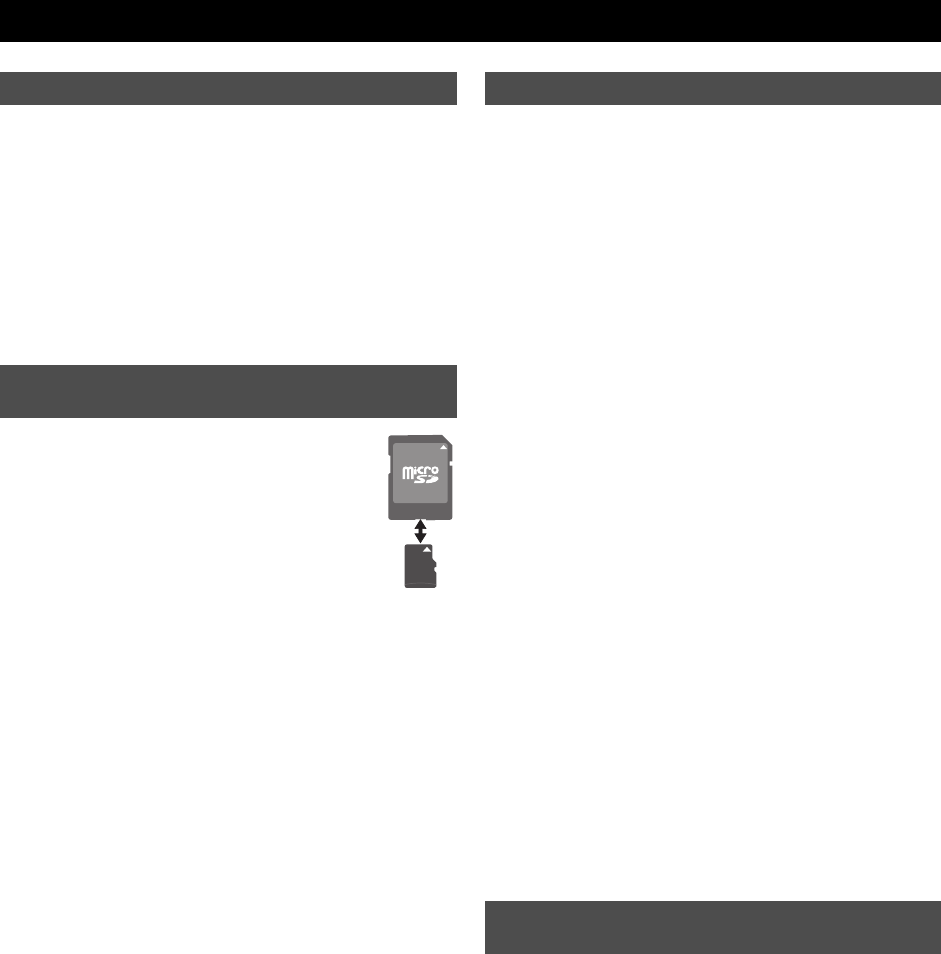
A microSDHC(microSD) card can be used on a
device having an SD memory card slot by inserting it
into the dedicated microSDSD adaptor (not
supplied). (When fitting the card, verify its orientation
and insert it into the adaptor as far as it will go. When
removing the card, pull it out in the opposite
direction.)
Keep out of reach of children. If swallowed, seek medical
advice immediately.
This card is coated with a bittering agent
¢
to prevent it from
being swallowed. The effect and sustentation of the bittering
agent is limited.
¢ The bittering agent tastes bitter, but has no harmful effects
(denatonium benzoate is used).
If a microSDHC(microSD) card is used on devices supporting
SDHC(SD) memory cards, always fit it to the exclusive adaptor.
Insert or remove the microSDHC(microSD) card together with
the adaptor. Do not leave the adaptor connected to the device.
Otherwise, this may cause a malfunction, or a device or data
failure.
This card is formatted to the SDHC(SD) memory card standard.
If reformatting is ever necessary, format it using SDHC(SD)
compatible equipment or SD formatting software compatible
with SDHC(SD) memory card. Formatting the card with any
other software will make the card non-standard and cause
problems with compatibility and performance. For a free version
of SD formatting software, visit Panasonic’s homepage.
http://panasonic.jp/support/audio/sd/download/sd_formatter_e.html
When a microSDHC(microSD) card or an adaptor is removed
from the device, do not leave the card or adaptor out in the
open.
Do not disassemble or remodel.
Do not impact, bend, drop, or wet.
Do not touch the metal terminals with your hands or metal
objects.
Do not attach other labels or stickers.
Do not use or store this card in a location subjected to static
electricity or electrical noise. If the host device does not operate
normally due to the effects of static electricity on the card, then
remove the card from the host device and insert it again.
Do not use or store in locations directly exposed to sunlight, a
heat vent, or a heating appliance.
Do not use or store in humid or dusty locations.
Do not use or store in locations exposed to corrosive gases.
microSDHC(microSD)/SDHC(SD) compatible equipment may
contain the functions “Format” and “Erase”. However, in most
cases all data on the card will not be completely erased even
after performing these functions. When disposing or transferring
ownership of the card, we recommend using Panasonic
formatting software (http://panasonic.jp/support/audio/sd/
download/sd_formatter_e.html) to completely erase all data from
the card.
microSDHC Logo is a trademark.
microSD Logo is a trademark.
ENGLISH
Protecting your data
To use this card on a device supporting
SDHC(SD) memory cards
Handling and storage precautions
Cautions about disposal or transferring
ownership of this card
RP-SM_E2.book 2 ページ 2009年5月27日 水曜日 午後1時48分
Pobierz instrukcję w języku polskim (PDF, 2.26 MB)
(Apelujemy o dbanie o środowisko i drukowanie instrukcji tylko wtedy, gdy jest to niezbędne)

Loading…

Ocena

Podziel się z nami swoją opinią na temat Panasonic RP-SM04GCE1K Karta SD i oceń urządzenie. Chcesz podzielić się swoimi doświadczeniami z tym produktem lub zadać pytanie? Zostaw komentarz na dole strony.
Czy jesteś zadowolony z Panasonic RP-SM04GCE1K Karta SD?
Tak Nie
Zostań pierwszą osobą, która oceni ten produkt
0 głosów

Dołącz do dyskusji na temat tego produktu

Tutaj możesz podzielić się swoją opinią na temat Panasonic RP-SM04GCE1K Karta SD. Jeśli masz pytanie, najpierw dokładnie przeczytaj instrukcję. Zapytanie o instrukcję można złożyć za pomocą naszego formularza kontaktowego.

Więcej o tej instrukcji

Rozumiemy, że miło jest mieć papierową instrukcję obsługi Panasonic RP-SM04GCE1K Karta SD. Zawsze możesz pobrać instrukcję z naszej strony internetowej i wydrukować ją samodzielnie. Jeśli chcesz otrzymać oryginalną instrukcję, zalecamy skontaktowanie się z Panasonic. Być może będą w stanie dostarczyć oryginalną instrukcję. Szukasz instrukcji swojego Panasonic RP-SM04GCE1K Karta SD w innym języku? Wybierz preferowany język na naszej stronie głównej i wyszukaj numer modelu, aby sprawdzić, czy jest on dostępny.

Dane techniczne

Marka Panasonic
Model RP-SM04GCE1K
Kategoria Karty SD
Typ pliku PDF
Rozmiar pliku 2.26 MB

Wszystkie podręczniki dla Panasonic Karty SD
Więcej podręczników Karty SD

Często zadawane pytania dotyczące Panasonic RP-SM04GCE1K Karta SD

Nasz zespół wyszukuje przydatne informacje na temat produktu i udziela odpowiedzi na często zadawane pytania. Jeśli znajdziesz nieścisłości lub błędy w naszych odpowiedziach na pytania, poinformuj nas o tym przy pomocy naszego formularza kontaktowego.

Nie mogę dodawać plików do mojej karty SD, dlaczego tak jest? Zweryfikowany

Standardowe karty SD mają przełącznik blokady po lewej stronie karty. Jeśli blokada jest włączona, dodawanie lub usuwanie plików na karcie jest niemożliwe. Zwolnij blokadę, aby uzyskać pełny dostęp do karty.

To było pomocne (8) Czytaj więcej

Ile to kilobajt, megabajt, gigabajt i terabajt? Zweryfikowany

Jeden kilobajt składa się z 1000 bajtów. 1 megabajt = 1000 kilobajtów. 1 gigabajt = 1000 megabajtów. 1 terabajt = 1000 gigabajtów.

To było pomocne (3) Czytaj więcej

Co oznacza SD? Zweryfikowany

SD oznacza Secure Digital. Karty SD są standardowym nośnikiem danych w wielu aparatach cyfrowych.

To było pomocne (3) Czytaj więcej

Moja karta SD nie pasuje do czytnika, dlaczego tak jest? Zweryfikowany

Istnieją różne rozmiary kart SD, standardowe SD, miniSD i microSD. Istnieją adaptery, dzięki którym mniejsze karty SD pasują do zwykłych czytników SD.

To było pomocne (2) Czytaj więcej
Instrukcja Panasonic RP-SM04GCE1K Karta SD

Produkty powiązane

Powiązane kategorie

×
Download